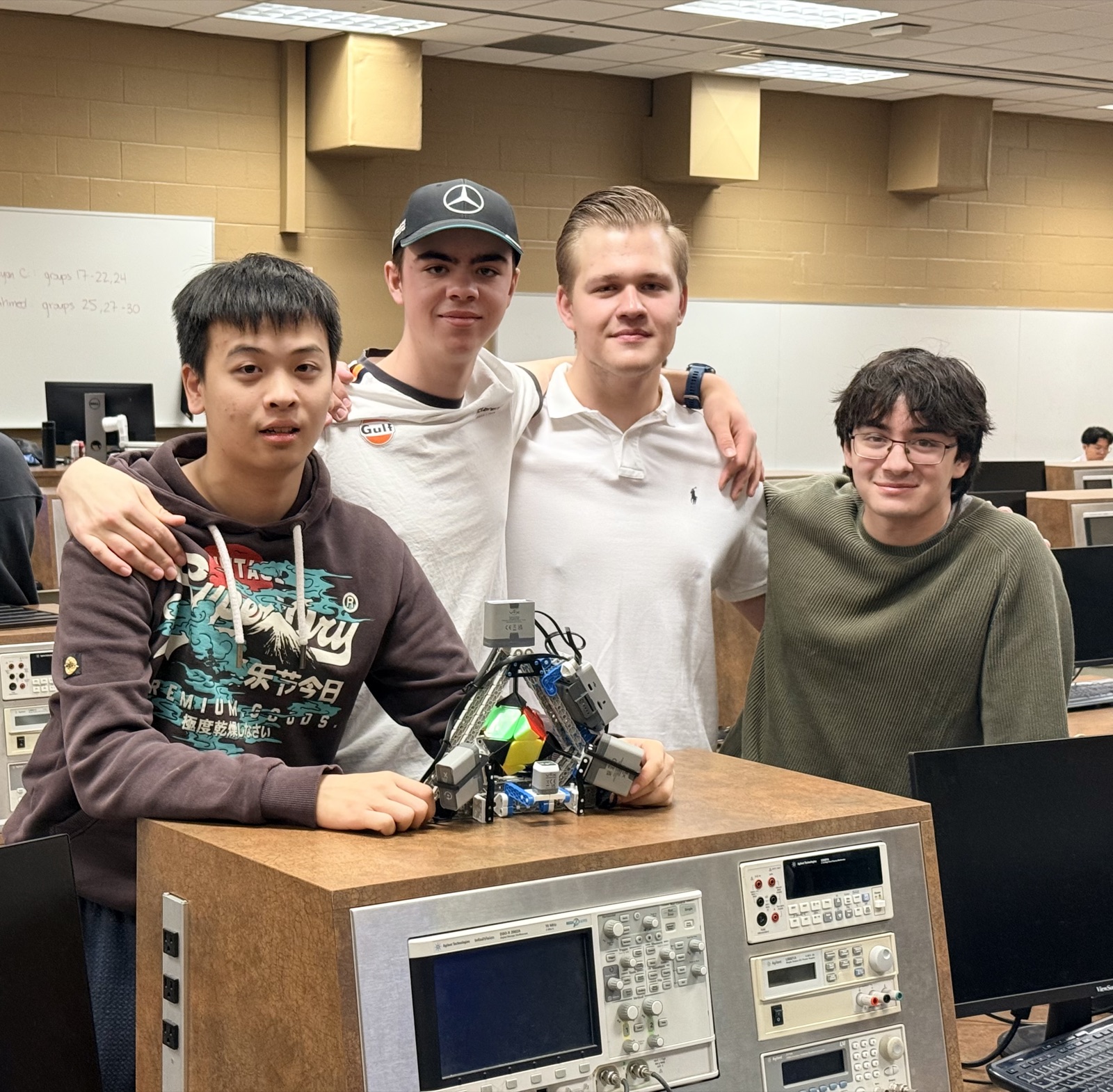
Oct – Dec 2025 · Team of 4 (software team of 2) · C++, Python, VEX IQ, web interface
This is a robot that solves a Skewb puzzle in under 10 seconds, built on a VEX IQ brain for our first-year design project at Waterloo, as a team of four. I was one of two people on the software team.
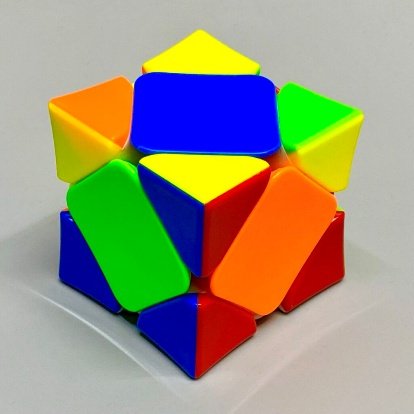
The project had one big limit: four motors. That’s nowhere near enough for a 3×3 Rubik’s Cube, so we picked a puzzle that fits it. A Skewb looks like a cube, but it turns around its corners instead of its faces, and four motors on four corners can reach every state.
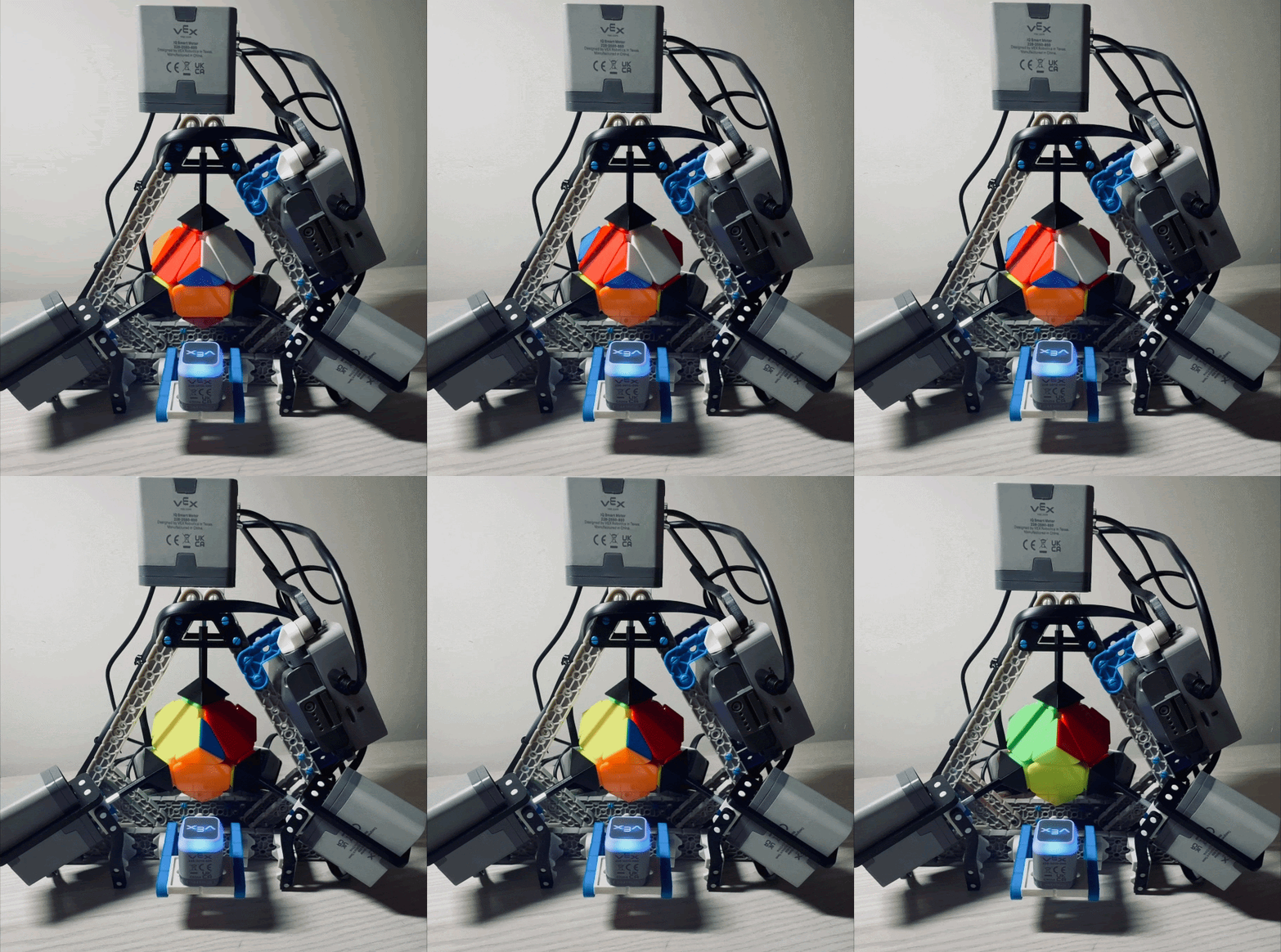
We set out to beat the fastest Skewb-solving robot we could find, which took about 1 minute and 20 seconds, so the first goal was a solve under a minute. Once the solver showed that no state needs more than 11 moves, that goal was too easy, and we moved it to under 30 seconds. Reliability came first, though: the target was 8 good solves in every 10, and we only pushed the speed once we got there.
How It Works
The robot never searches for a solution while it runs. Finding a solution in real time is expensive, and the VEX IQ brain is tiny, so we solved every state of the puzzle ahead of time on a computer and saved the solutions to an SD card in the brain. To solve a cube, a web app scans it with a laptop camera and sends its state to the brain over serial, and the brain looks up the solution and turns the cube with four motors.
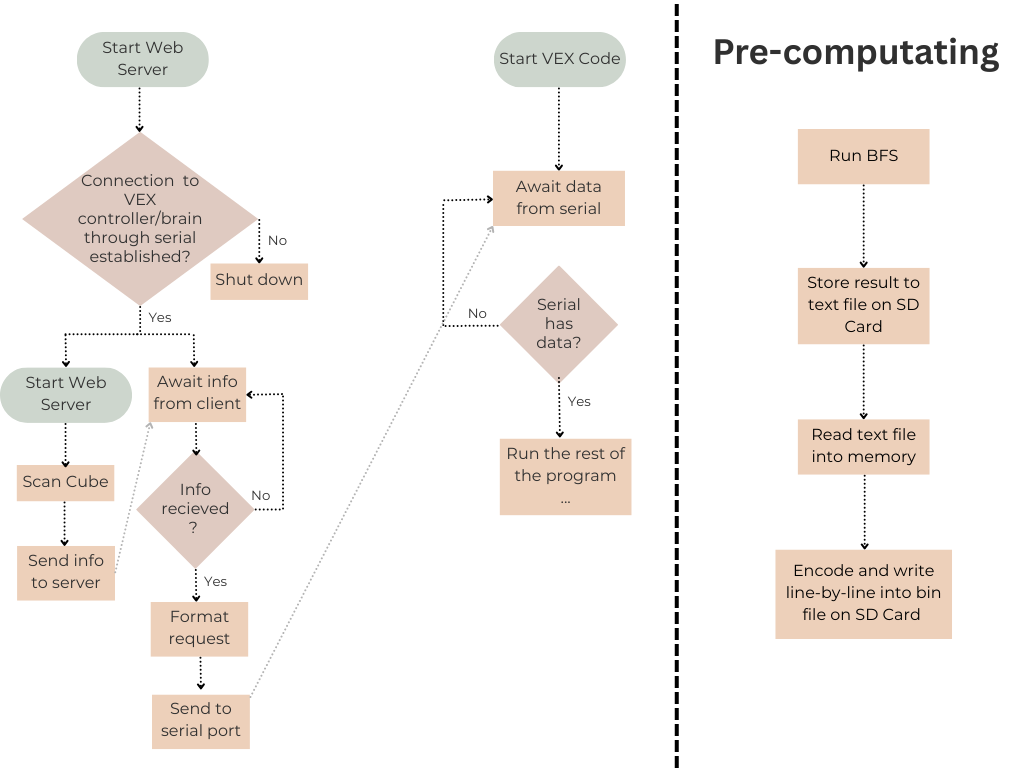
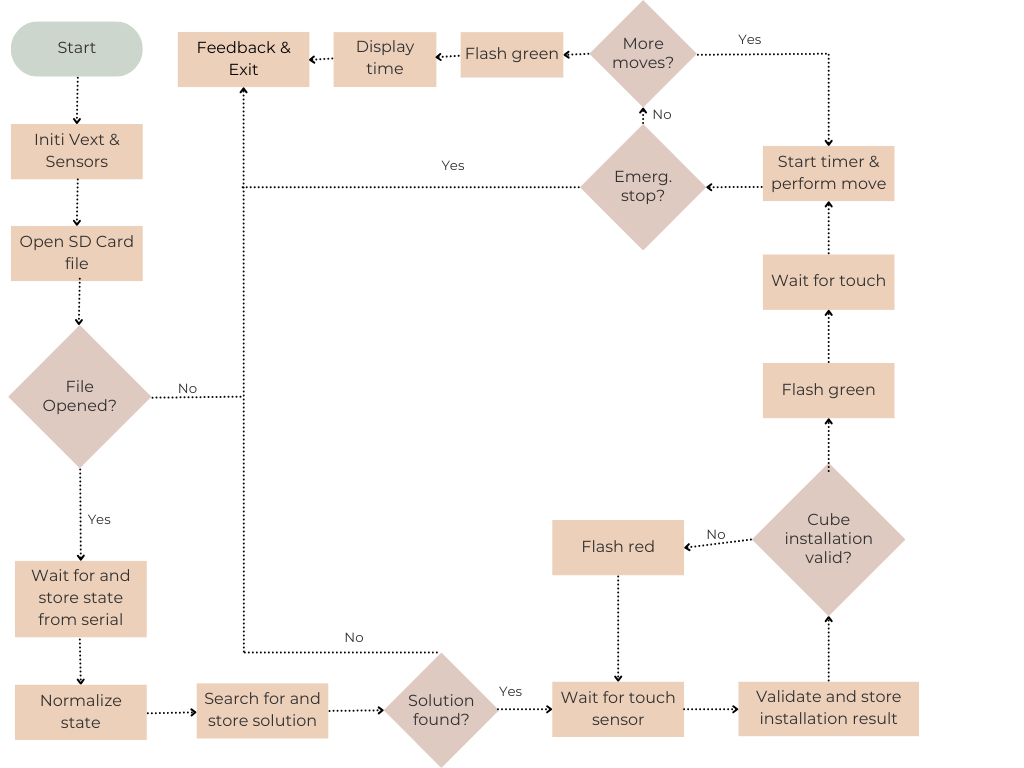
On the brain, the main program runs as a sequential state machine. On startup, it opens the solution file on the SD card and waits for a scan over serial. Then it normalizes the scan, finds the solution, and waits for the cube. Once the sensors confirm that the cube is in place, a press on the Touch LED starts the solve and the timer. Pressing it again pauses the motors, and the arrow button on the brain stops the solve early in an emergency. After the last move, the brain turns off the motors, shows the solve time, turns the LED green, and stops the program 20 seconds later.
If the file doesn’t open or a state has no solution, the robot stops by itself. If the cube isn’t seated right, the LED flashes red and the brain asks again.
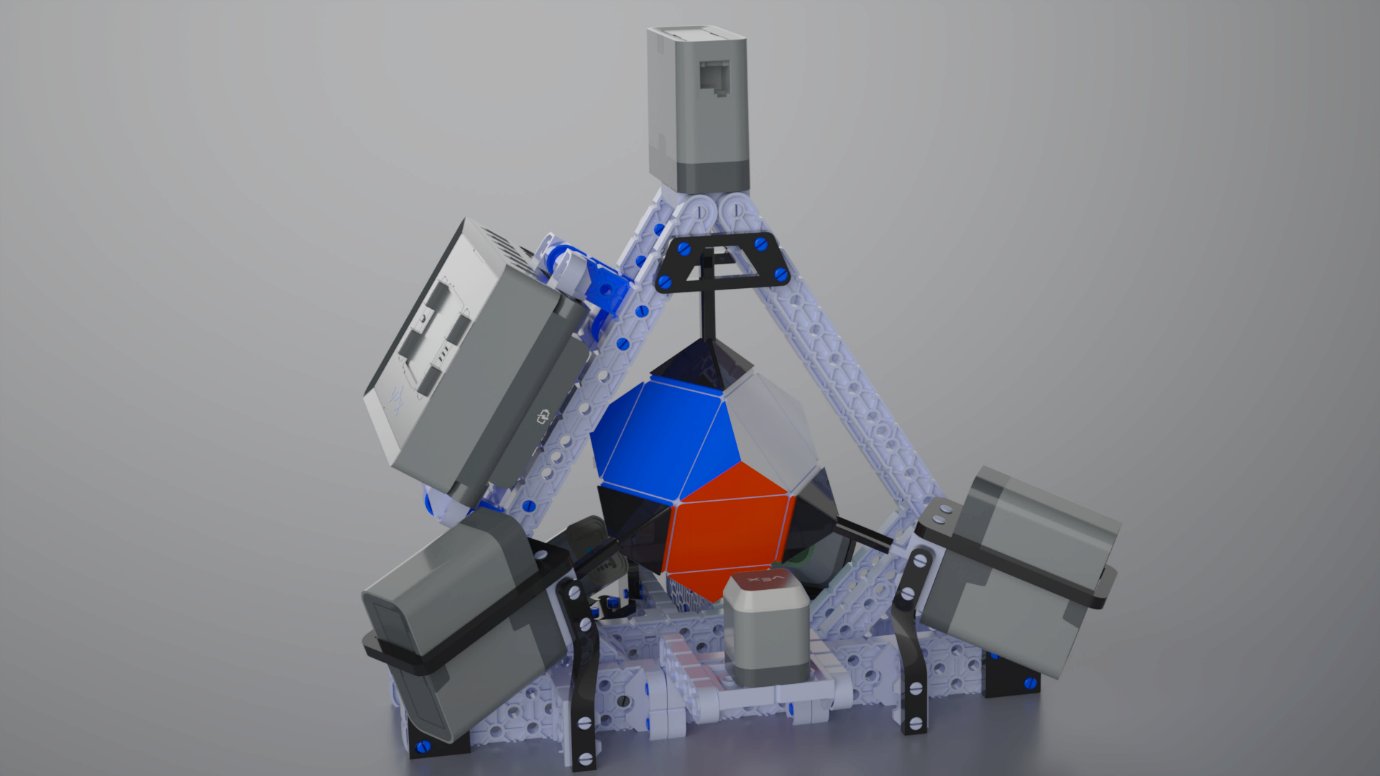
The Robot
My teammates Adam Turaj and Robert Vigneron designed and built the robot itself, so I’ll keep this part to the main ideas and let their CAD do the talking.
Turning one corner of a Skewb moves three faces at once, so the robot can’t hold two corners that touch. The four grippers hold every second corner, and each one can then turn without blocking the others.
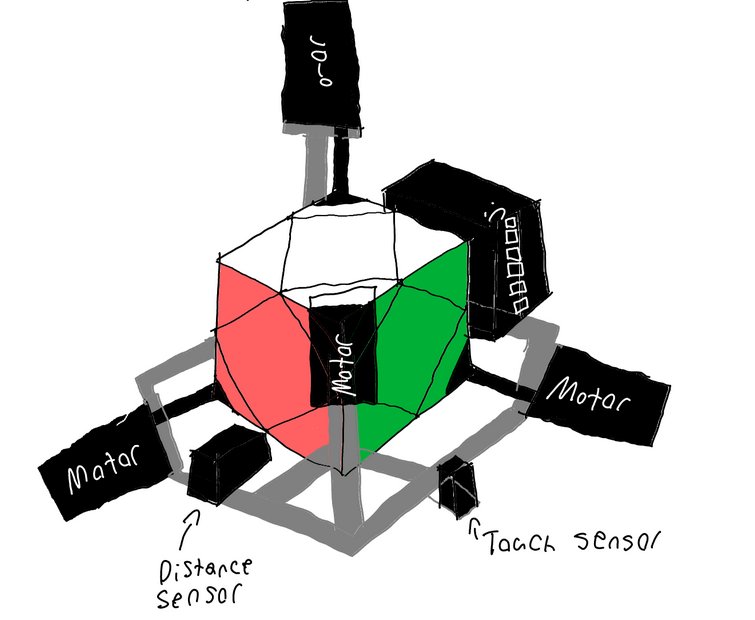
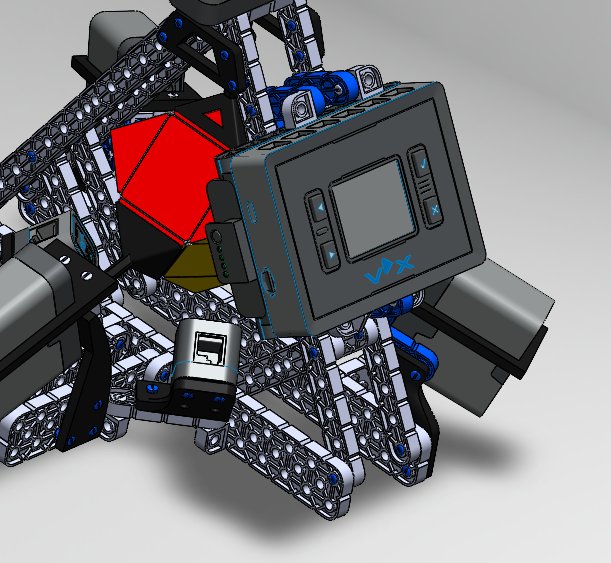
The first idea was a box of motors around the cube. Adam and Robert switched to a pyramid: three motors in one vertical plane and one on top. That cut the number of different mounting angles, lowered the centre of gravity, and kept the front open so you can watch the cube.
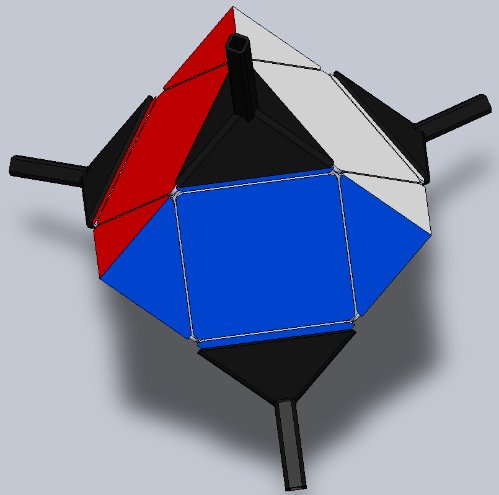
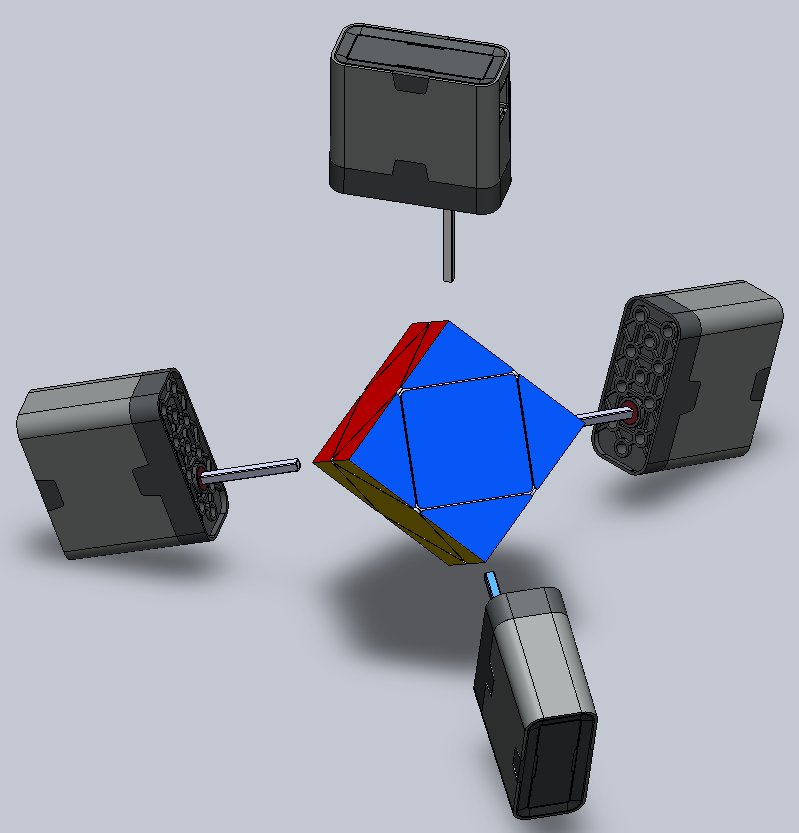
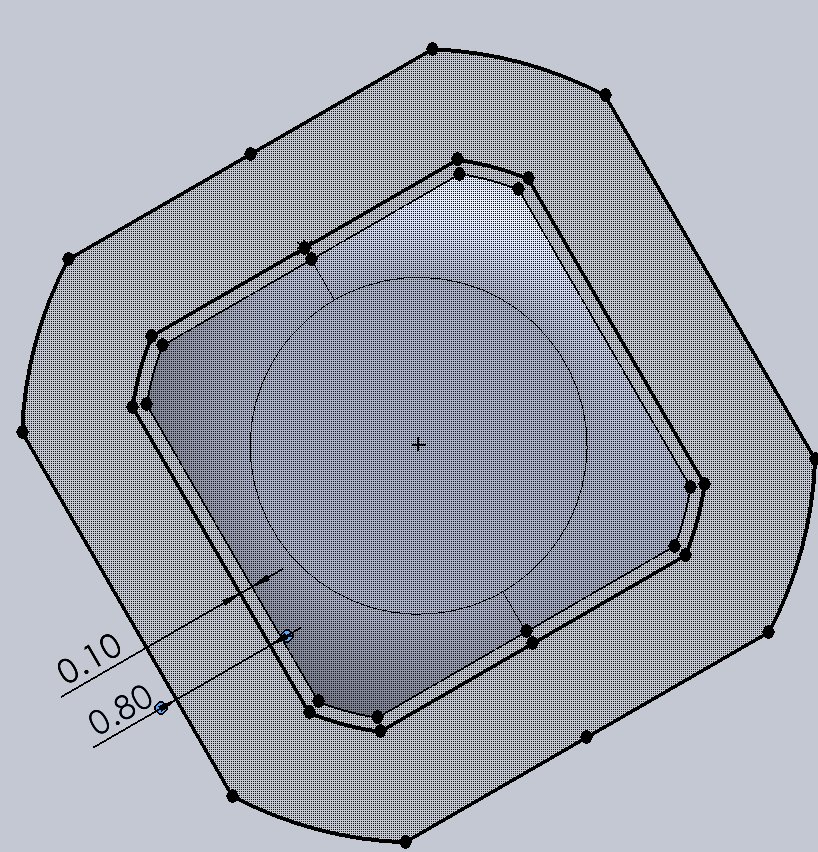
The grippers came first. Their inside is the shape of a Skewb corner, offset a little for print tolerance, with 1 mm taken off the top so they don’t catch the centre pieces. Each one sits on the motor shaft with a 0.1 mm clearance fit. The first version had a hole in the shaft to check how deep it went, with paper towel shims to adjust the grip, but the shafts snapped at that hole. The final version has no hole, printed shims, and a fillet where the shaft meets the gripper.
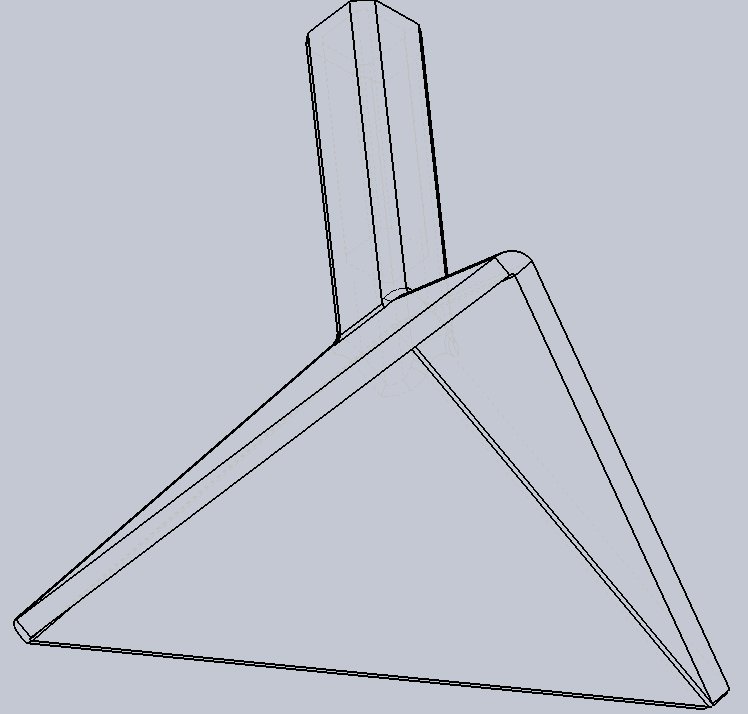
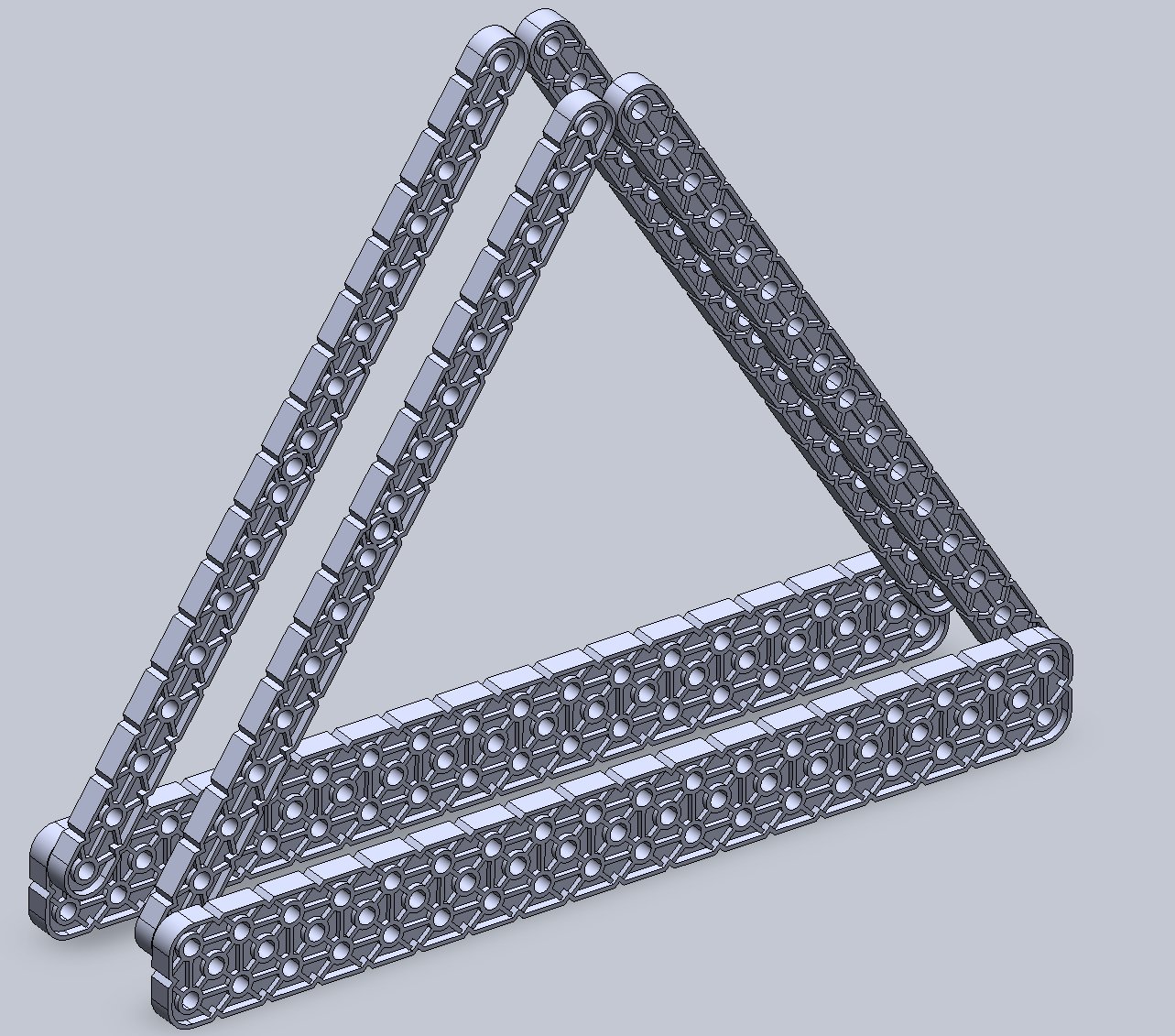
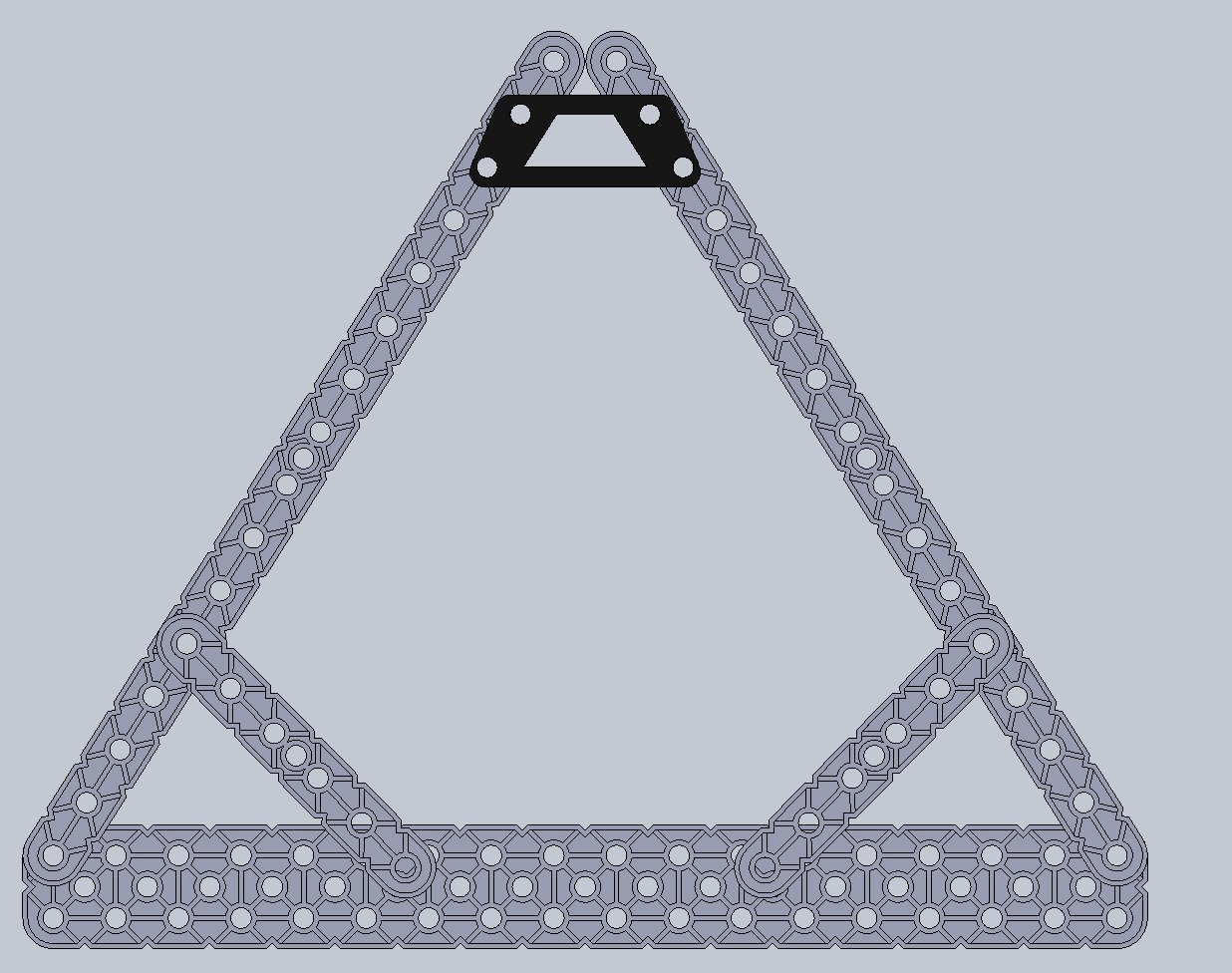
The frame is a triangular prism of VEX beams around the cube, which holds three of the four motors. The top motor could rotate on it at first, so they added beams and a printed brace at the top. The rear motor sits on an extension that also widens the base.
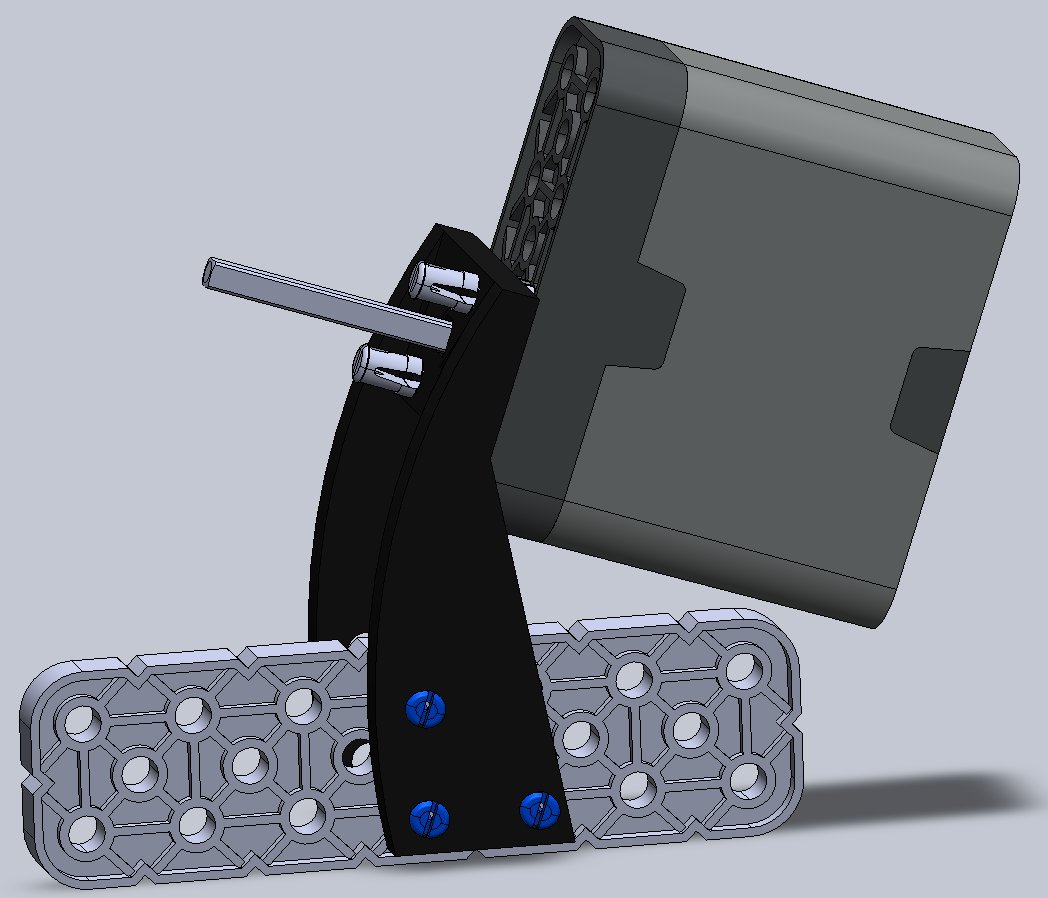
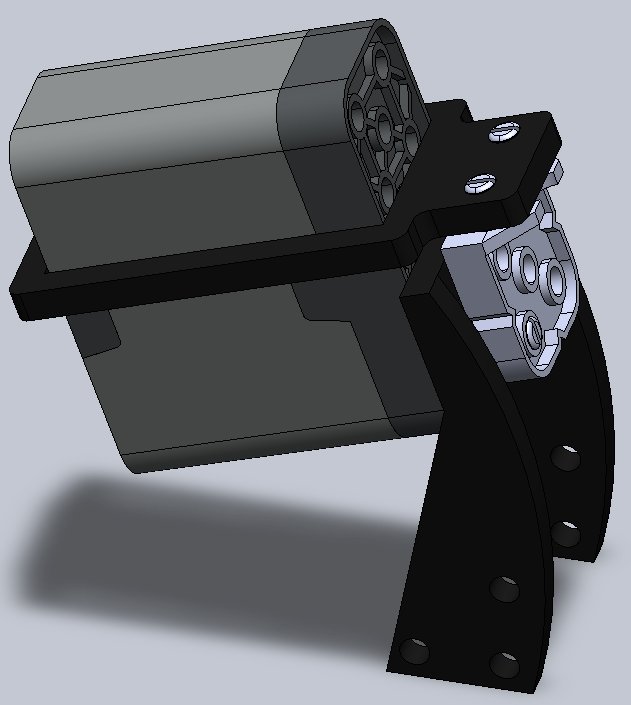
VEX has no parts for the angles of the lower motors, so the motor mounts are 3D-printed. The motors had to grip the cube hard to turn it, and they kept popping out of their mounts, so they added braces that wrap around each motor. That fixed it for good, although by the end the peg holes in the mounts were visibly worn. The two front motors also come out of their mounts, which makes it easier to put the cube in.
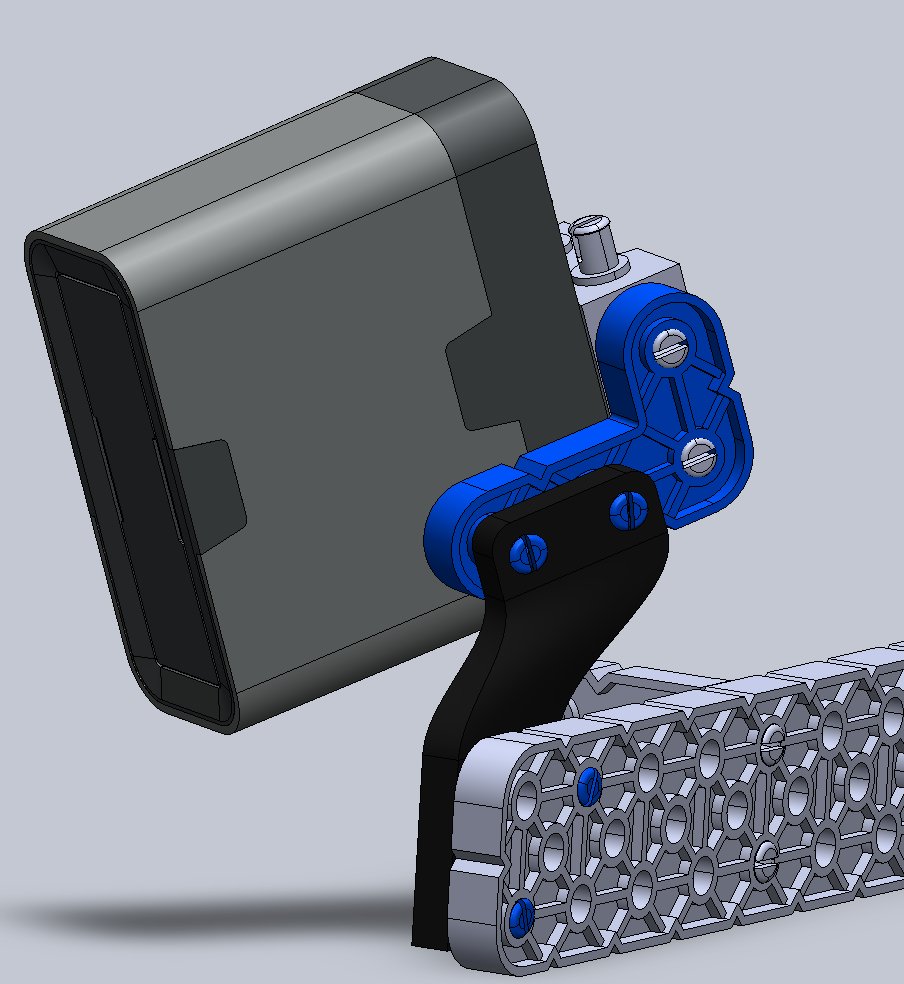
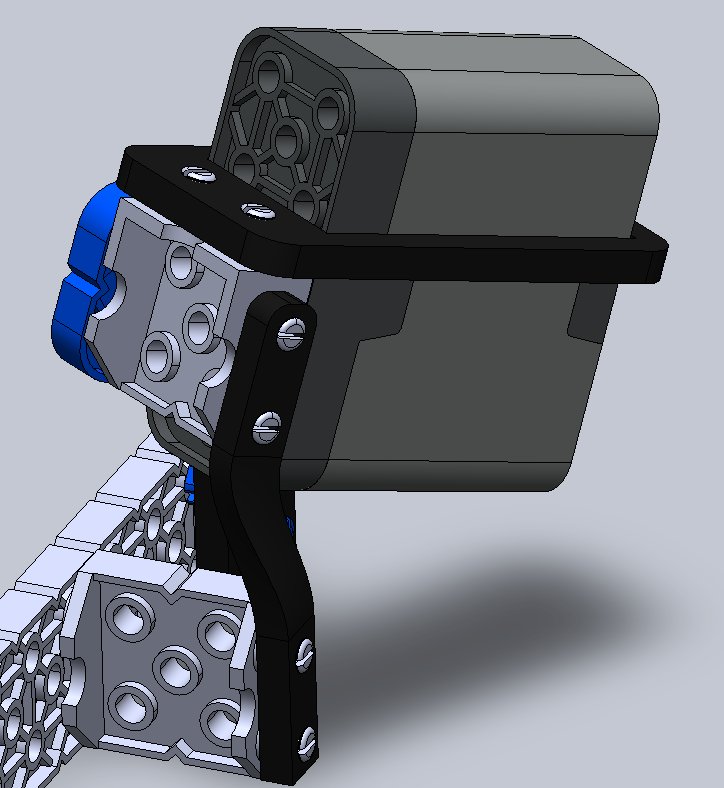
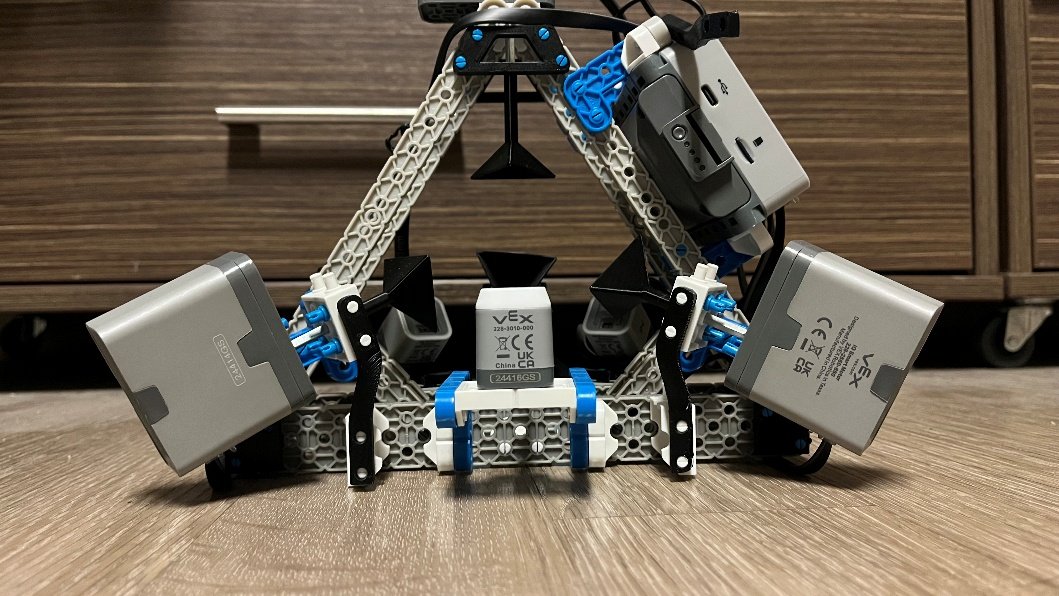
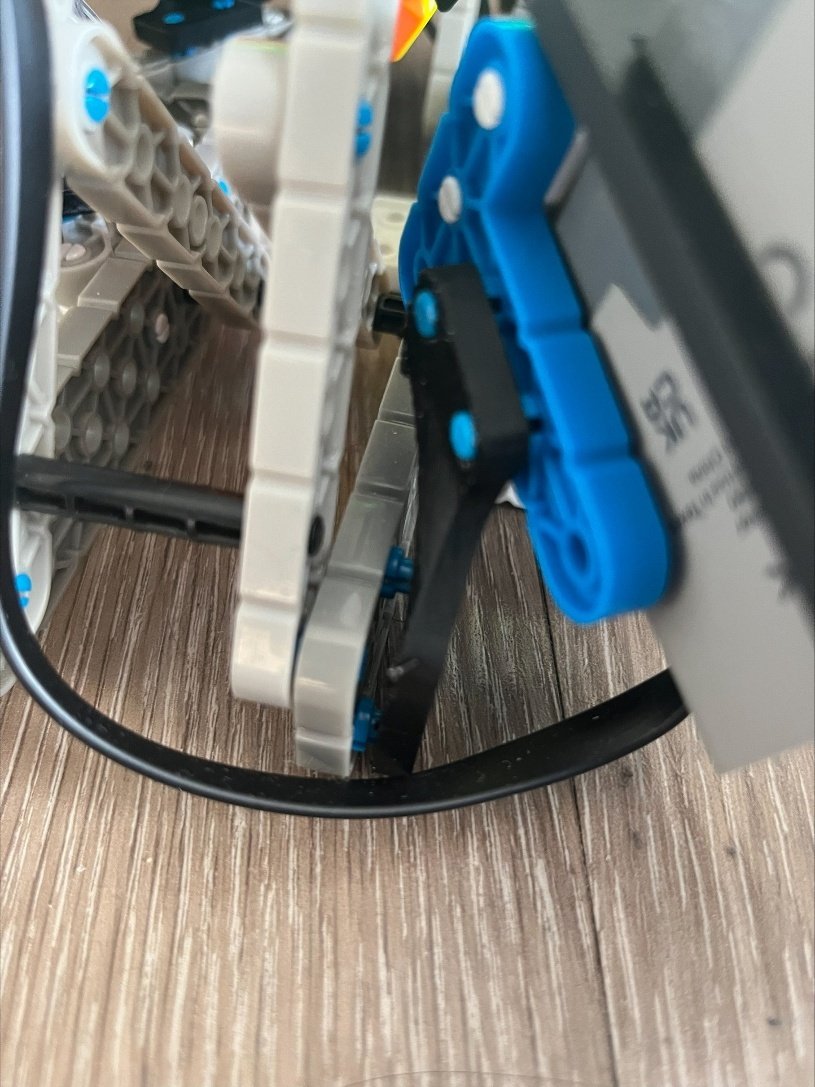
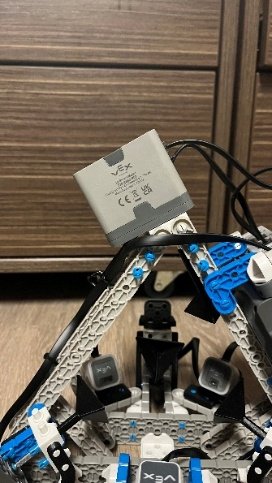
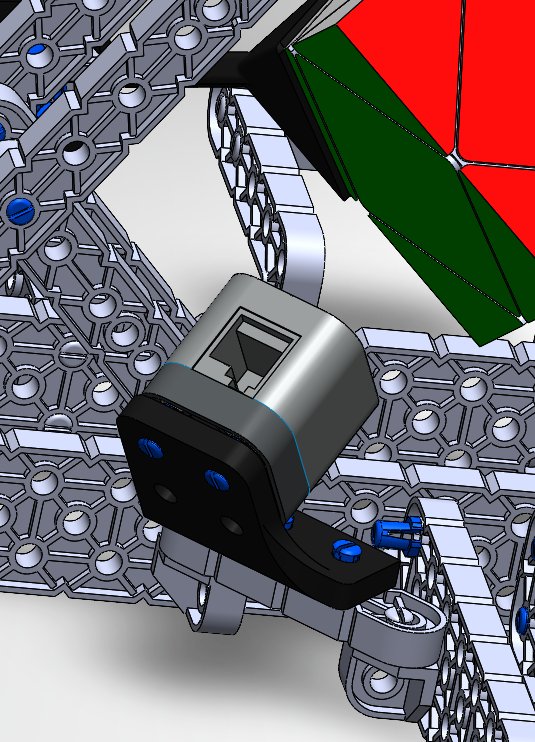
The distance and optical sensors sit on fixed printed mounts, angled so that each one looks straight at the middle of a face. If they could move, the distance thresholds would need new values every time, and the colour sensor could end up reading a crack between pieces. The brain is mounted on the outside of the frame, so the screen, the buttons, the USB-C port, and the battery are all easy to reach.
Move Notation
Before writing any search, we needed names for the moves. The standard Skewb notation didn’t work for us, because our robot can only turn the four corners it holds. So we named the clockwise turns of those four corners R, U, L, and F, and the counterclockwise turns r, u, l, and f. That’s eight moves in total, and the solver, the solution file, and the brain all use them.
Solver
A Skewb has about 3.1 million reachable states (3,149,280, to be exact), so we could solve every one of them ahead of time. I co-wrote a C++ breadth-first search that explores the whole state space offline and stores the optimal solution for each state. Every solution takes fewer than 12 moves.
The search starts from the solved cube and applies all eight moves to every state at the edge of the search, one level at a time. Every new state goes through a hash map of the states found so far, so a state only gets recorded the first time it shows up, which is always with the fewest moves. The maximum number of moves a puzzle needs is called God’s number, and for the Skewb it’s 11. We didn’t have to take that on faith: when we let the search go deeper than 11 moves, it found no new states. The average solution is about 8 moves.
The VEX IQ brain doesn’t have nearly enough memory to hold that table, so the solutions live in a bit-packed file on the brain’s SD card, where each record is a 64-bit state and a 32-bit solution. A state is six centre colours (0 to 5), eight corner positions (0 to 7), and a twist for each corner (0 to 2), and all of that fits in 54 bits. As plain text, the table was about 250 MB and would take the brain over 5 minutes to read, and packing brought it down to 40 MB.
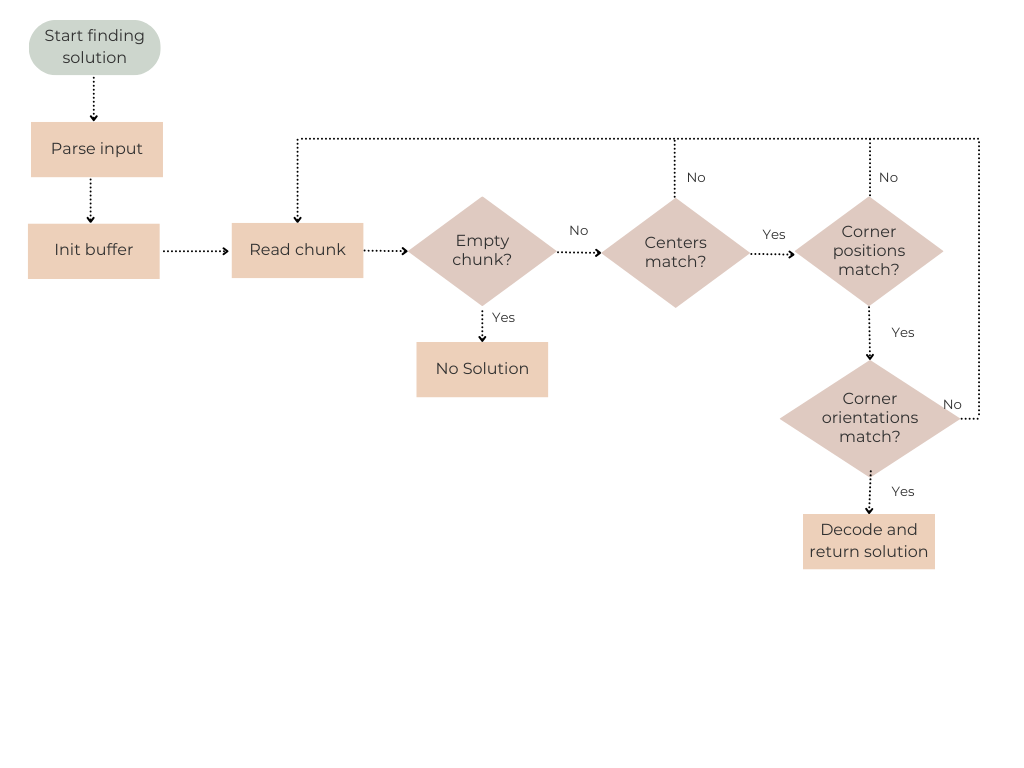
The brain reads the file in fixed-size chunks and decodes each record with bit shifts and masks, so it never loads the whole file into RAM. Packing more records into each chunk made lookups 6.25x faster than unpacked storage.
Normalizer
A person can hold the cube in front of the camera in 24 different ways (8 corners times 3 twists), and each way gives a different string of colours for the same cube. The database only knows one of them.
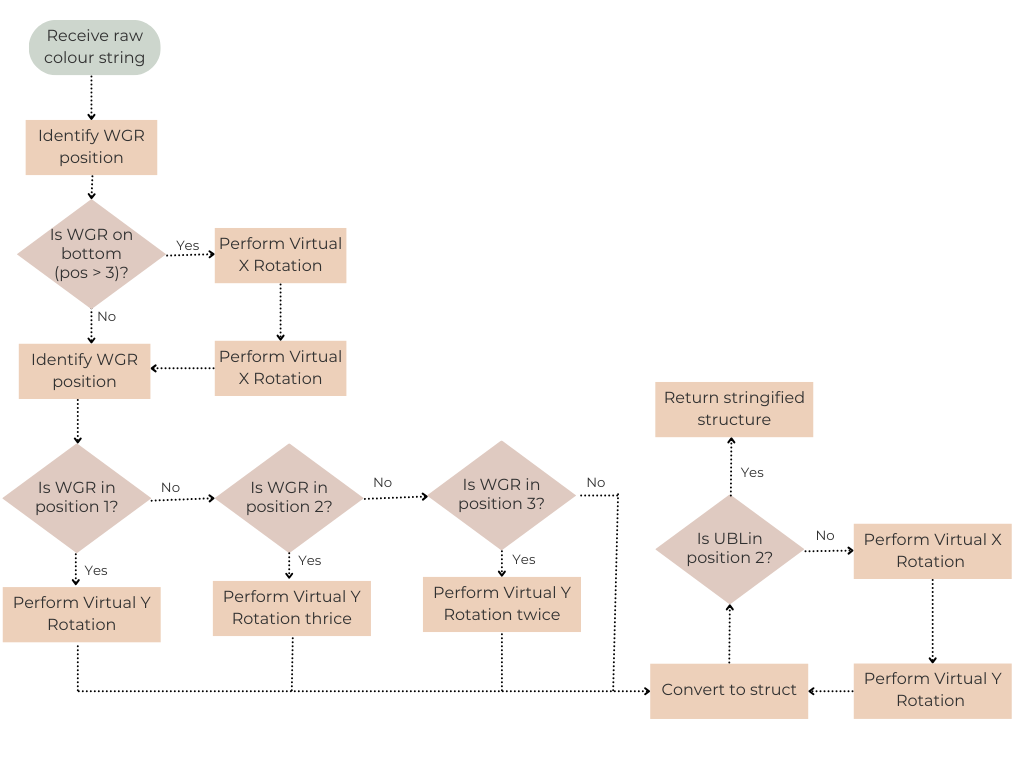
Late in the project, we found out that a cube scanned in a different orientation didn’t match anything in the database, and morale was low. What we had missed was that one corner (white, green, and red) always sits in the same place in the database. I went home and spent half the night writing the normalizer: it finds that corner in the scan by its three colours, works out how it’s turned, and then rotates the whole scan until that corner is exactly where the database expects it.
This works because of how a Skewb is built. Inside, it’s two tetrahedrons: one of four fixed corners and one of four floating corners. Our moves only turn the corners the robot holds, so the corners of each group always keep the same arrangement relative to each other. Once one reference corner is in place, the rest of the scan falls into the database’s frame. The rotations themselves are virtual: the code moves the stickers around in the string, the same way a whole-cube X or Y turn would.
Midway through the project, we also found out that one of our moves couldn’t be done with the motors where they were. We replaced the back move (B) with the front move (F) and ran the whole search again. With the new move set, the normalizer had to check a second corner (orange, blue, and yellow) as well, so that part was written again almost from scratch.
Once it ran on the brain, the program froze at the same loop iteration every time. After about 12 hours of debugging, the cause turned out to be too many print calls inside a tight loop: they filled the output buffer, and the blocking print froze the whole thread.
Scanning & Communication
To get the cube’s state into the robot, I built the web interface we used to scan it, and a small Python server that sends the scanned state to the brain over a USB serial link at 9600 baud, where the brain’s C++ code reads it one line at a time.
The original plan was to scan the cube on the robot with the VEX optical sensor, but it was far too sensitive to lighting, and turning the cube to show every face made the mechanics much harder. So scanning moved to a laptop. The web interface (React) takes a live video from the camera and samples the colour inside each sticker’s outline. At first it used raw RGB, and it had to be re-tuned in every new room. Converting to HSV fixed that, since hue barely changes with the lighting, and scans got to about 95% right.
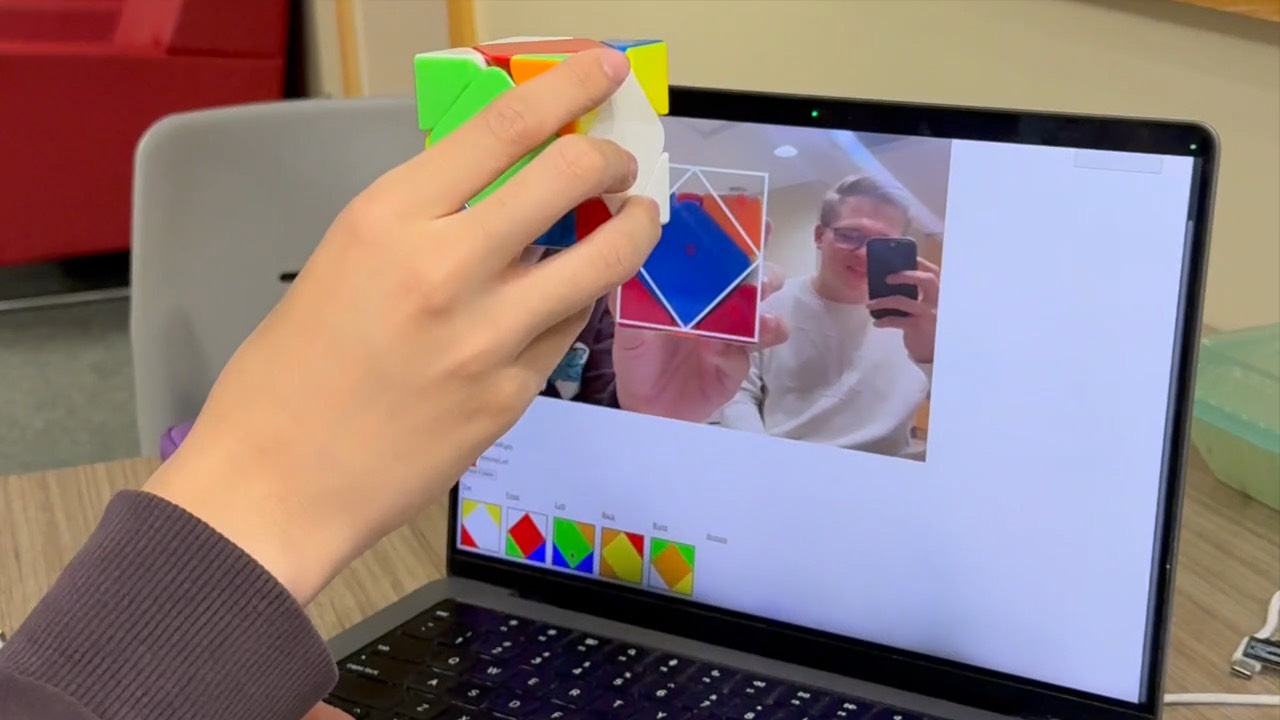
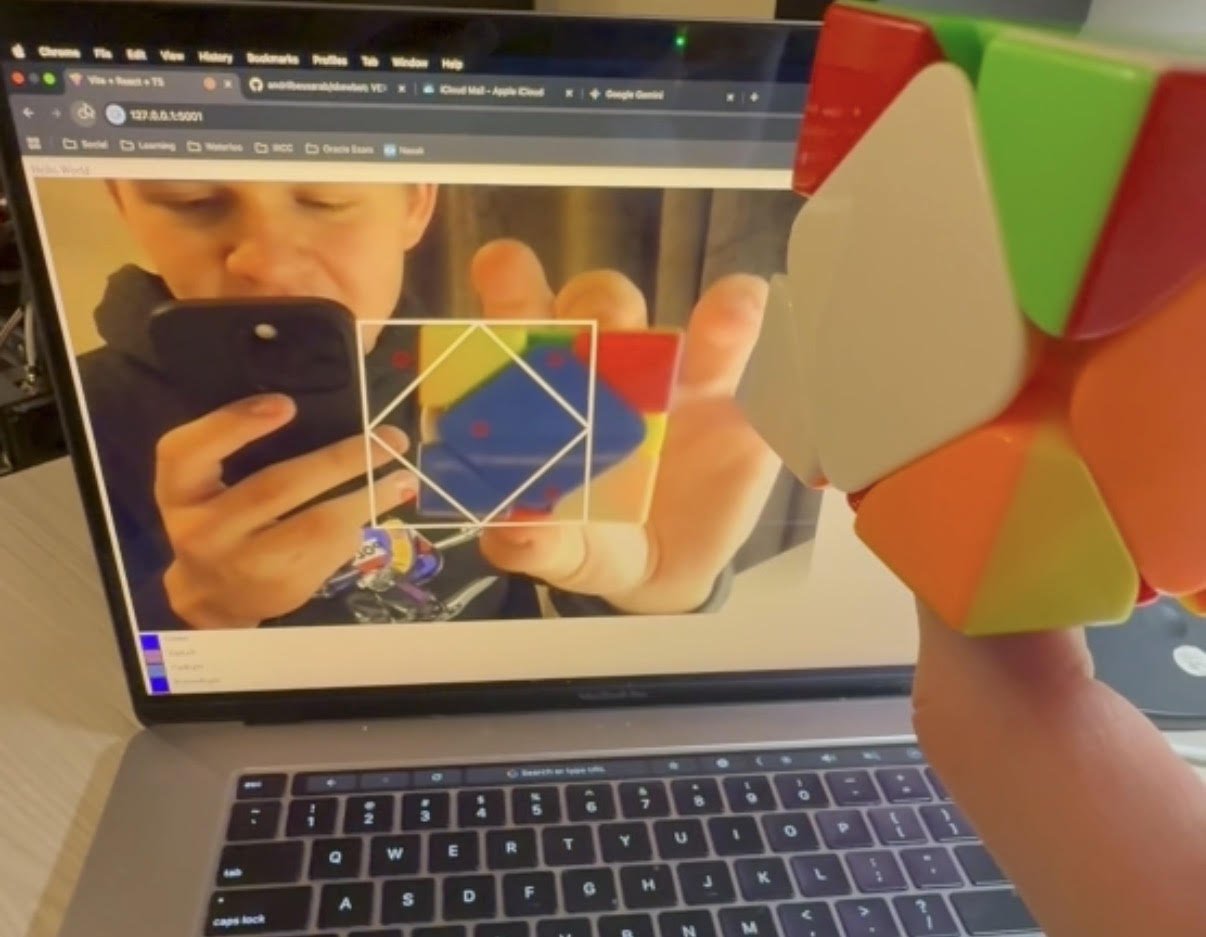
When you press “Send Data”, the colours go to a Flask endpoint, which checks the string and writes it to the serial port. The server opens the port before it starts, and shuts down if it can’t reach the brain. Before any motor moves, the brain also checks with its distance and optical sensors that the cube is actually sitting in place: the distance sensor looks for the cube 30 to 40 mm away, and the optical sensor checks that the centre facing it has the colour the scan expects. The Touch LED shows green if the check passes and red if it doesn’t.
The serial link and the solution lookup both worked on their own, but together, the lookup slowed from three million entries in two minutes to only a few hundred. Both read from blocking streams and fought over the brain’s I/O, so I gave the file its own buffer before the search, and the speed came back.
Motor Control
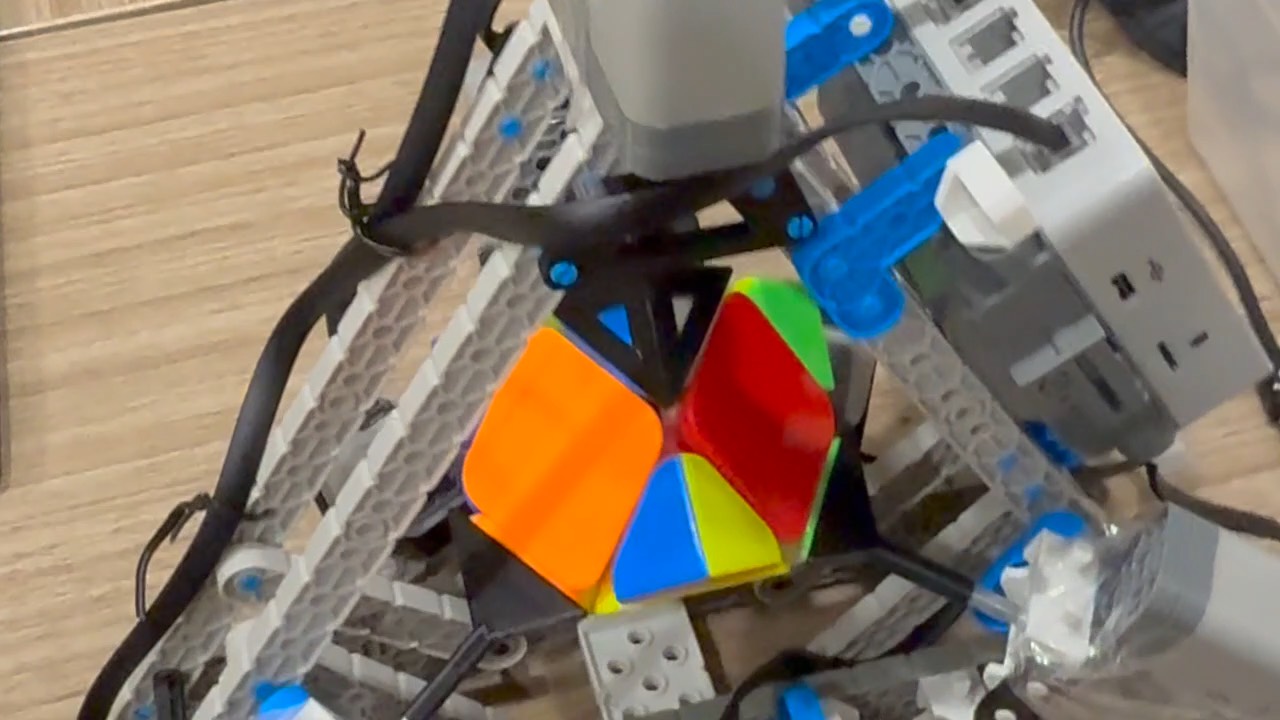
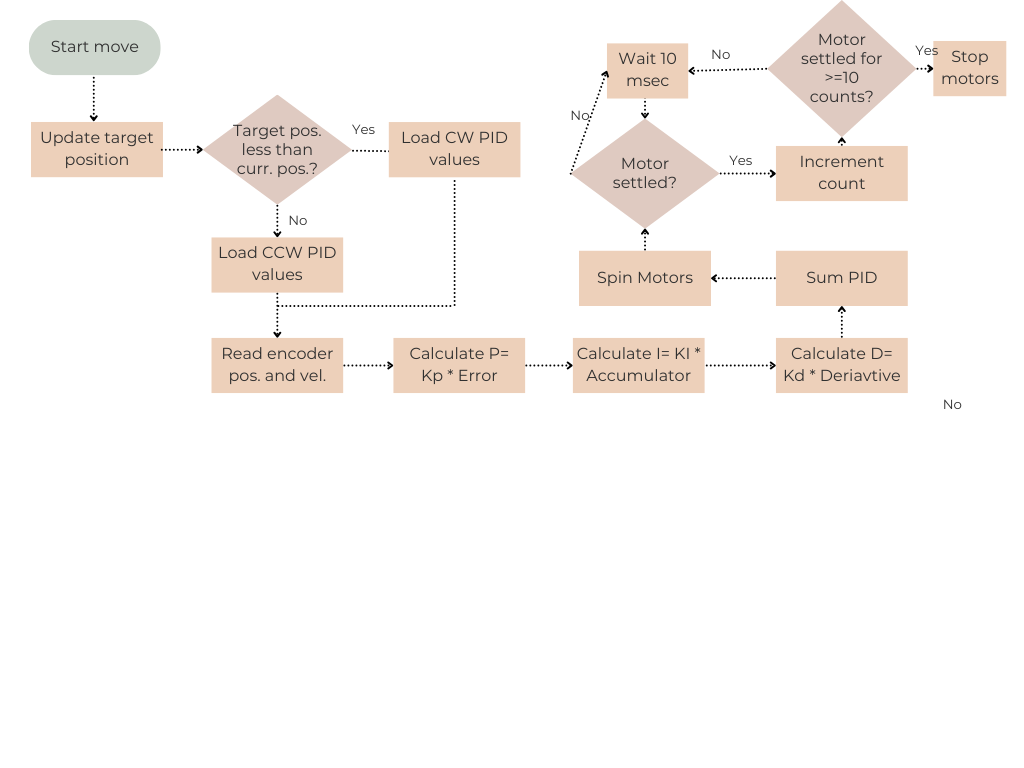
A Skewb has magnets that make each turn snap into place, so the motors have to push through that detent resistance on every move. The PID built into the VEX motors was too gentle for that, so I wrote and tuned bidirectional, encoder-based PID controllers for the motors, which raised solve reliability on demo day from 1 in 5 to 9 in 10.
Precision matters more than anything here: if one turn stops even slightly short, the next move jams. But a turn that’s too hard can twist a corner on its own and leave the cube unsolvable.
Each motor sits at a different angle and pushes against different forces, and each direction behaves differently too, so every motor has its own constants for clockwise and counterclockwise turns: eight sets in total. Each motor is an object that holds its VEX motor, both sets of constants, and its target position, and it switches to the right set before every move. The integral term is capped, but in the end, none of the controllers needed it.
Once the robot hit its reliability target, the last step was speed: I raised the maximum motor speed and re-tuned the constants, as far as the robot could go without losing reliability.
What I’d Change
Most of the hardware issues come from the VEX parts:
- A camera on the robot instead of the web interface would make it fully standalone.
- Better motors with less backlash, or access to the motors’ built-in PID, would help the most. That controller runs thousands of times per second, and ours runs a few dozen.
- Machined parts instead of PLA would last, and springs on every gripper would fit Skewbs of different sizes.
On the software side:
- With more RAM, a search like IDA* or a two-way BFS could find each solution on the spot, with no SD card.
- The solver and the normalizer share the same data structures, so one common library would have saved us from keeping two copies in sync.
- A calibration routine could tune the PIDs on the robot and save them to a file, instead of hard-coding them.
- To work for anyone, the robot would need Wi-Fi or Bluetooth, since serial only works with the server running on a laptop next to it.
Report
Our final report has the full details, including every part of the mechanical design and flowcharts for all of the software. The code is on GitHub.
Team
Built with Adam Turaj, Robert Vigneron, and Jason Liang.